In independent filmmaking and digital video production, the post-production suite is where raw footage is transformed into a cinematic masterpiece. However, creators often use terms like “color correction” and “color grading” interchangeably. While both processes happen during the final finishing stage of post-production, they serve completely different technical and artistic functions.
Understanding the distinct roles of color correction and color grading is essential for achieving a polished, professional visual standard that captures viewer attention.
1. What is Color Correction? The Technical Foundation
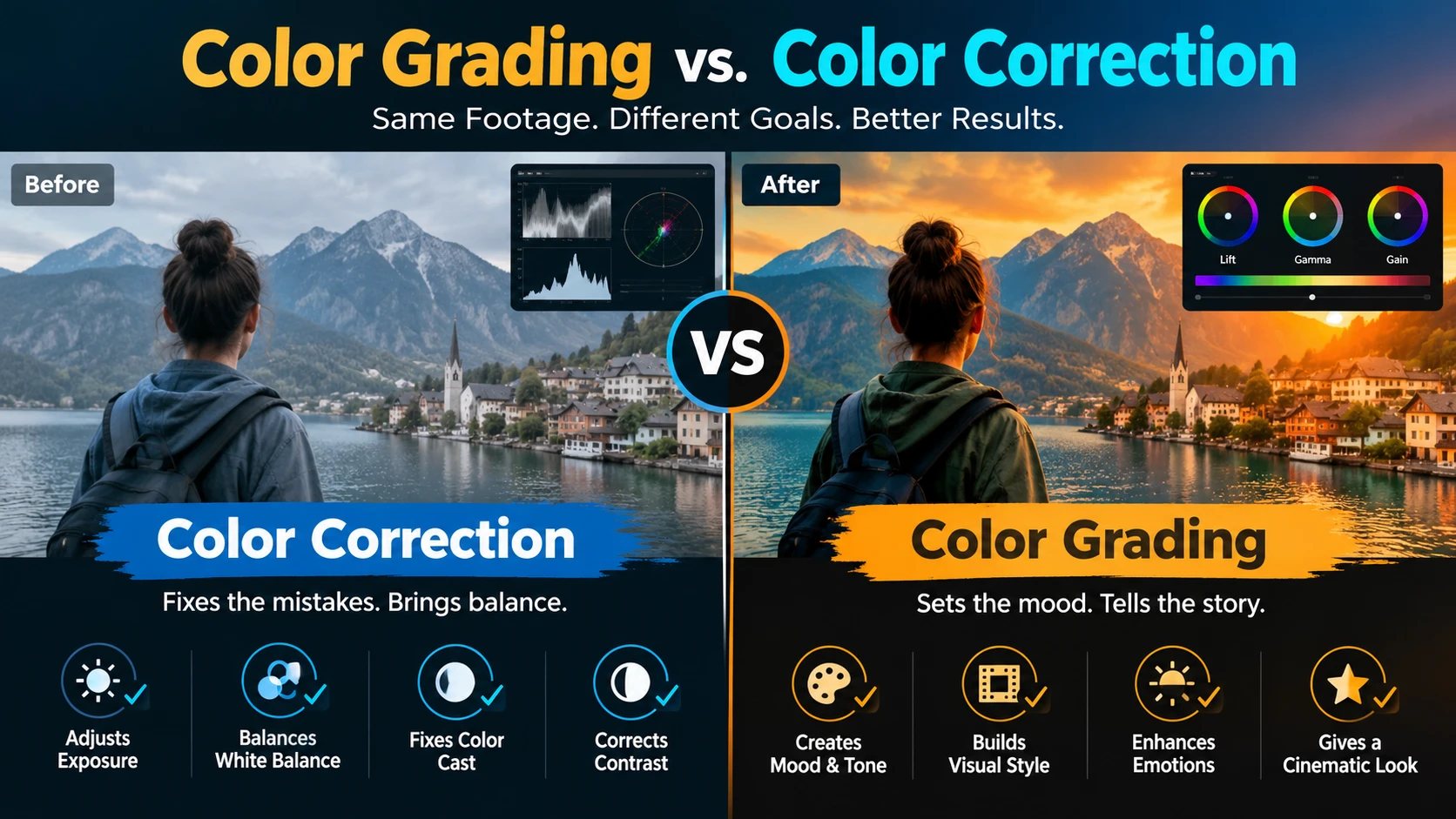
Color correction is the foundational, technical step in post-production. Before any artistic styling can be applied, raw camera footage must be balanced to ensure uniform exposure, contrast, and white balance across all scenes.
Key objectives of color correction include:
- Balancing Exposure & Contrast: Adjusting highlights, midtones, and shadows to ensure shots are neither underexposed nor blown out.
- Matching Camera Shots: Aligning clips shot under different lighting conditions or with different camera sensors so that cuts between angles look seamless.
- Neutralizing White Balance: Correcting color casts introduced by varying light temperatures (such as tungsten bulbs, LED panels, or natural sunlight).
Without accurate color correction, footage can look jarring, unnatural, and amateurish.
2. What is Color Grading? The Artistic Polish
Once color correction establishes a clean, balanced baseline, color grading introduces the artistic and emotional soul of the film. Grading is where a professional colorist uses specialized software like DaVinci Resolve to establish mood, guide viewer focus, and evoke specific psychological responses.
Key aspects of color grading include:
- Establishing Cinematic Mood: Applying custom color palettes—such as teal-and-orange for blockbuster action or desaturated tones for gritty dramas—to match the story’s tone.
- Secondary Color Isolation: Selectively isolating specific objects or skin tones (using qualifiers and power windows) to enhance or alter individual hues without affecting the entire frame.
- Creating Brand or Genre Looks: Ensuring that commercial videos or narrative films align with specific aesthetic standards expected by audiences and brand guidelines.
3. Why Professional Post-Production Elevates Your Project
Many creators rely on quick, automated video filters or LUTs (Look-Up Tables) straight out of the camera. However, applying a creative LUT to uncorrected footage often results in clipped highlights, muddy shadows, and unnatural skin tones.
Professional post-production workflows guarantee:
- Broadcast and Web Compliance: Ensuring color spaces meet digital platform standards (Rec. 709 for web, DCI-P3 for digital cinema).
- Immersive Storytelling: Using subtle lighting shifts and color contrast to direct the viewer’s eye toward key narrative elements.
- Consistent Brand Identity: Maintaining precise corporate color palettes across brand films and promotional ad campaigns.
Partnering with Expert Post-Production Studios
Mastering the technical precision of color correction and the artistic depth of color grading requires professional expertise and high-end calibrated editing suites. Whether you are finishing a short film, a brand commercial, or a corporate video, professional post-production makes all the difference.
Explore professional post-production solutions on Yuvatar Films to elevate your raw footage into cinematic visual excellence.
Separate Frequently Asked Questions (FAQs)
Q1: What is the main difference between color correction and color grading?
A: Color correction is the technical process of fixing exposure, contrast, and white balance to make footage look natural. Color grading is the creative process of styling colors to establish a specific cinematic mood or aesthetic.
Q2: Can I just use a LUT instead of professional color grading?
A: LUTs (Look-Up Tables) are helpful starting points, but applying them blindly to uncorrected footage often breaks image quality. Professional grading requires preliminary color correction before applying creative looks.
Q3: Which software is industry-standard for film color grading?
A: Blackmagic Design’s DaVinci Resolve is widely recognized across global film and commercial production studios as the gold standard for professional color correction and grading.